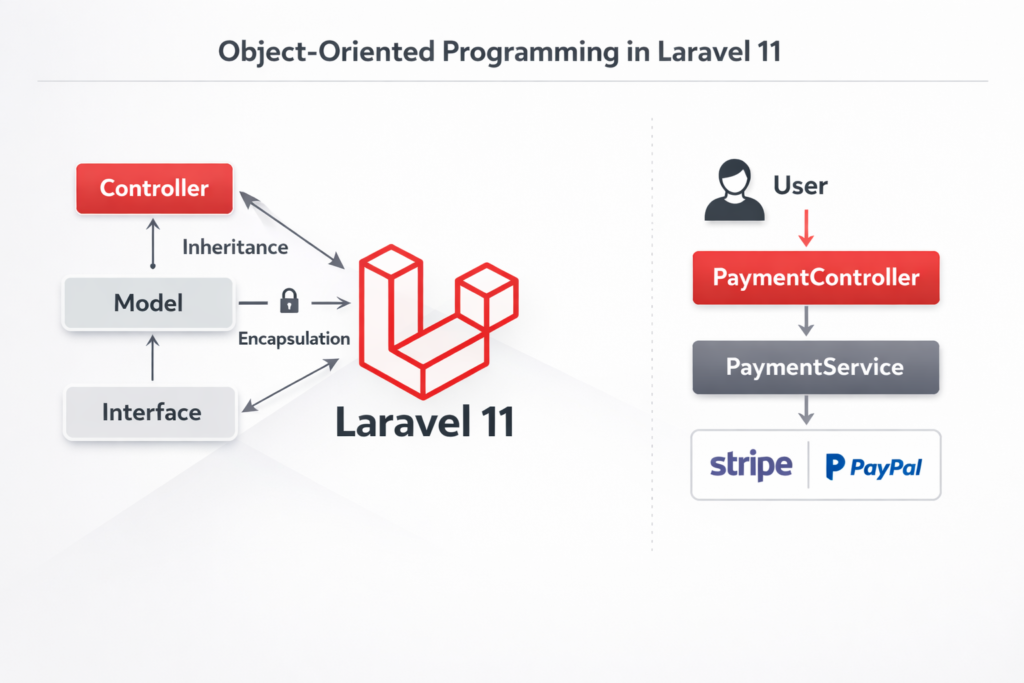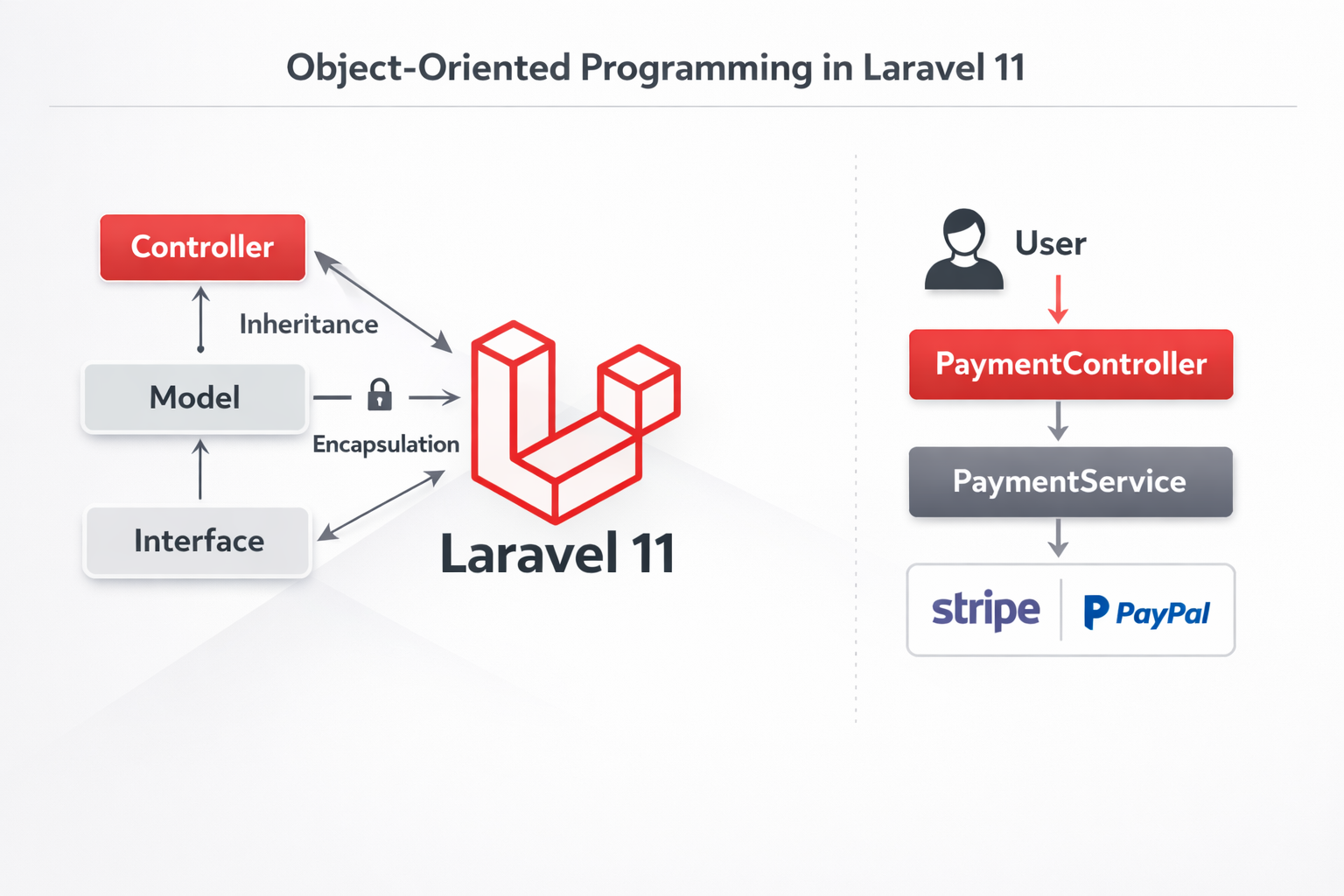
Laravel 11 is built entirely on Object-Oriented Programming (OOP) principles. Understanding how OOP works in Laravel is essential for writing clean, scalable, and maintainable applications.
This article explains OOP concepts in Laravel 11 using real-world examples, focusing on a User Payment System to make learning practical and easy for beginners.
Why OOP Matters in Laravel
Object-Oriented Programming helps developers:
- Organize code into reusable components
- Improve readability and maintainability
- Reduce duplication
- Build scalable applications
Laravel uses OOP everywhere—Controllers, Models, Services, Middleware, Jobs, and even Configuration files follow OOP principles.
1. Classes & Objects in Laravel
What is a Class?
A class is a blueprint for creating objects. In Laravel, almost everything is a class.
Common Laravel classes include:
- Controllers
- Models
- Services
- Requests
- Jobs
Real Laravel Example: Controller Class
<?php

namespace App\Http\Controllers;

use App\Services\PaymentService;
use Illuminate\Http\Request;

class PaymentController extends Controller
{
    protected PaymentService $paymentService;

    public function __construct(PaymentService $paymentService)
    {
        $this->paymentService = $paymentService;
    }

    public function pay(Request $request)
    {
        return $this->paymentService->processPayment($request->amount);
    }
}
Object Creation in Laravel
Laravel automatically creates objects using Dependency Injection:
public function __construct(PaymentService $paymentService)
Laravel’s service container resolves and injects the object for you.
2. Models as OOP Objects
Models represent database tables and encapsulate business logic.
User Model Example
<?php

namespace App\Models;

use Illuminate\Foundation\Auth\User as Authenticatable;

class User extends Authenticatable
{
    protected $fillable = [
        'name',
        'email',
        'password'
    ];
}
Each record fetched from the database is an object of the User class.
$user = User::find(1);
echo $user->name;
3. Encapsulation in Laravel
Encapsulation means hiding internal details and exposing only what is necessary.
Laravel uses:
privateprotectedpublic
Encapsulation Example in Service Class
<?php

namespace App\Services;

class PaymentService
{
    private string $currency = 'USD';

    public function processPayment(float $amount): string
    {
        return "Payment of {$amount} {$this->currency} processed successfully.";
    }
}
Why This Is Encapsulation
$currencyis private and cannot be modified outside the class- Internal logic is protected
- Only
processPayment()is exposed
This prevents accidental misuse and improves security.
4. Inheritance in Laravel
Inheritance allows one class to reuse and extend another class.
Base Controller Inheritance
All Laravel controllers extend the base controller:
class Controller
{
    // Shared logic for all controllers
}
class PaymentController extends Controller
{
    // Inherits functionality from Controller
}
Inheritance Using Traits
Traits allow code reuse across multiple classes.
Example Trait: LogsPayment
<?php

namespace App\Traits;

trait LogsPayment
{
    public function logPayment(float $amount): void
    {
        \Log::info("Payment processed: " . $amount);
    }
}
Using Trait in Service
<?php

namespace App\Services;

use App\Traits\LogsPayment;

class PaymentService
{
    use LogsPayment;

    public function processPayment(float $amount): string
    {
        $this->logPayment($amount);

        return "Payment successful.";
    }
}
Traits are widely used in Laravel for shared behavior.
5. Polymorphism in Laravel (Interfaces & Services)
Polymorphism allows different implementations using the same interface.
Real-World Scenario: Multiple Payment Gateways
We want to support:
- Stripe
- PayPal
Step 1: Create Payment Interface
<?php

namespace App\Contracts;

interface PaymentGateway
{
    public function pay(float $amount): string;
}
Step 2: Stripe Implementation
<?php

namespace App\Services;

use App\Contracts\PaymentGateway;

class StripePaymentService implements PaymentGateway
{
    public function pay(float $amount): string
    {
        return "Paid {$amount} via Stripe.";
    }
}
Step 3: PayPal Implementation
<?php

namespace App\Services;

use App\Contracts\PaymentGateway;

class PaypalPaymentService implements PaymentGateway
{
    public function pay(float $amount): string
    {
        return "Paid {$amount} via PayPal.";
    }
}
Step 4: Bind Interface in Service Provider
use App\Contracts\PaymentGateway;
use App\Services\StripePaymentService;

public function register()
{
    $this->app->bind(PaymentGateway::class, StripePaymentService::class);
}
Step 5: Use Polymorphism in Controller
use App\Contracts\PaymentGateway;

class PaymentController extends Controller
{
    public function __construct(private PaymentGateway $paymentGateway) {}

    public function pay(Request $request)
    {
        return $this->paymentGateway->pay($request->amount);
    }
}
Why This Is Polymorphism
- Controller depends on an interface, not a concrete class
- Payment method can be switched without changing controller code
- Clean and scalable architecture
6. Example Project Summary: User Payment System
OOP Concepts Used:
- Classes: Controller, Model, Service
- Objects: Resolved by Laravel container
- Encapsulation: Private properties and methods
- Inheritance: Base controller and traits
- Polymorphism: Interfaces and multiple payment services
This structure follows Laravel best practices and is production-ready.
Best Practices for OOP in Laravel 11
- Keep controllers thin
- Move business logic to services
- Use interfaces for external integrations
- Use traits only for shared behavior
- Avoid fat models
- Follow SOLID principles
Conclusion
Laravel 11 is designed around Object-Oriented Programming. By understanding how Laravel applies OOP principles in real-world scenarios like a User Payment System, developers can write clean, maintainable, and scalable applications.
Mastering OOP in Laravel is not optional—it is essential for professional Laravel development.