Introduction
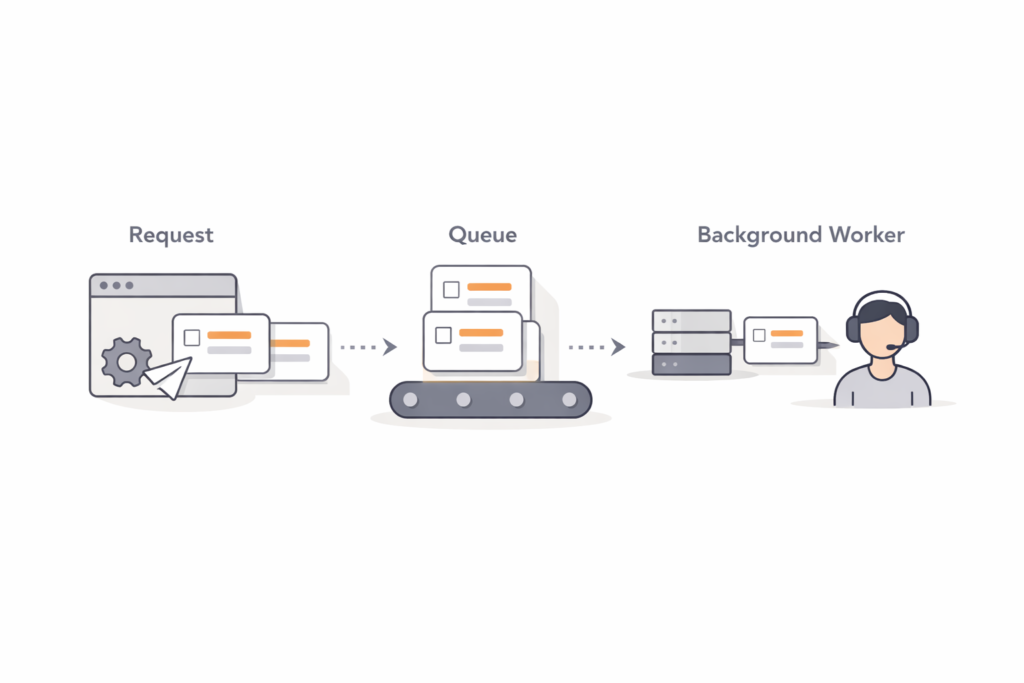
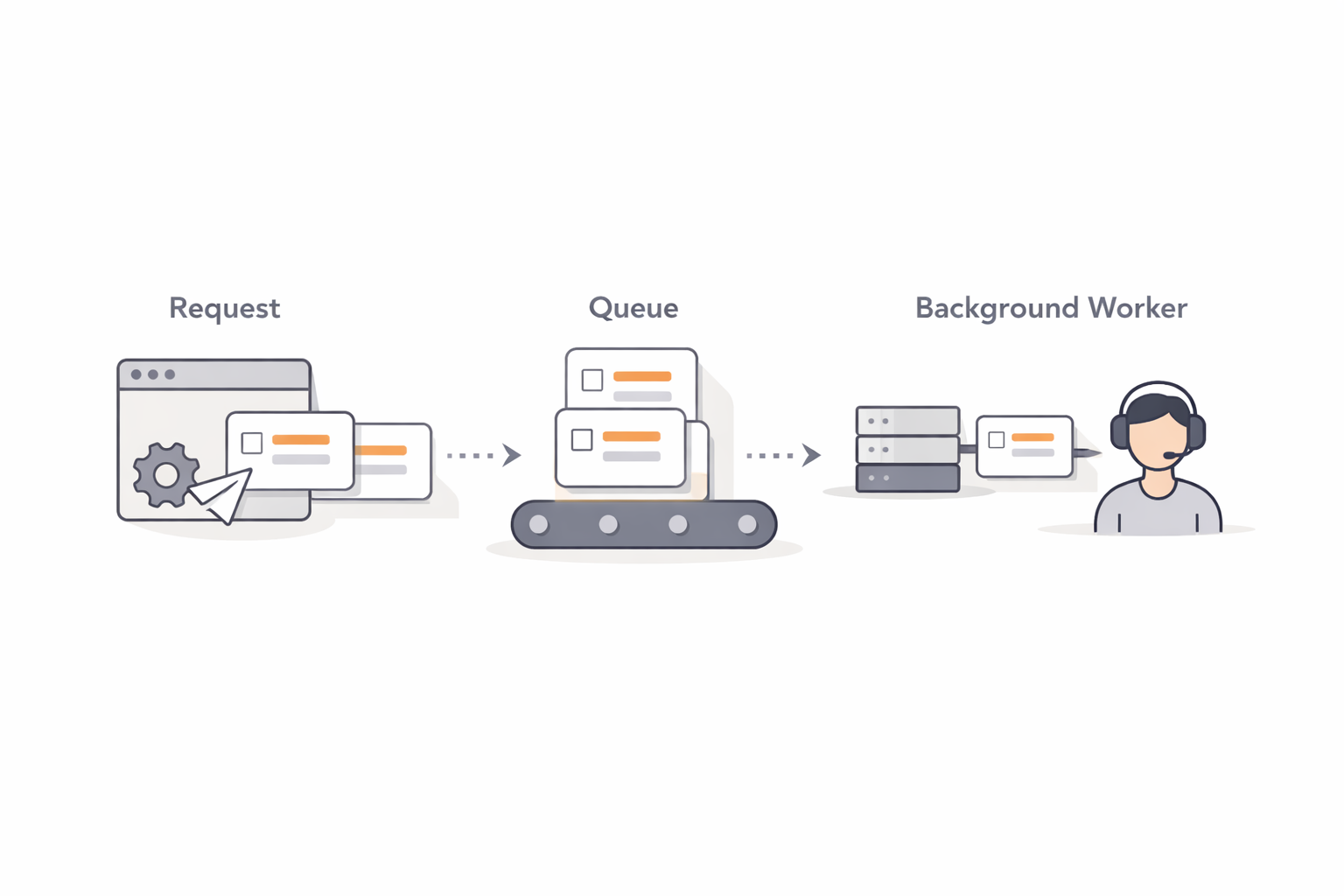
Some tasks in a web application take time — sending emails, processing files, or calling external APIs.
If these tasks run during a request, your app becomes slow.
Laravel 11 solves this using Jobs & Queues, allowing tasks to run in the background.
In this post, you’ll learn:
- What Laravel Jobs are
- Why queues matter
- A very small, real-world email queue example
This works perfectly in Laravel 11 and Laravel 12.
What Is a Job?
A Job is a class that represents a task you want to run later.
Examples:
- Sending emails
- Processing payments
- Generating reports
- Uploading files
Instead of running immediately, jobs are sent to a queue.
Use Case: Send Welcome Email in Background
We’ll build:
- A Job
- A Mail class
- Dispatch the job from a controller
Step 1: Create the Job
php artisan make:job SendWelcomeEmail
app/Jobs/SendWelcomeEmail.php
<?php

namespace App\Jobs;

use Illuminate\Bus\Queueable;
use Illuminate\Contracts\Queue\ShouldQueue;
use Illuminate\Foundation\Bus\Dispatchable;
use Illuminate\Queue\InteractsWithQueue;
use Illuminate\Queue\SerializesModels;
use Illuminate\Support\Facades\Mail;

class SendWelcomeEmail implements ShouldQueue
{
    use Dispatchable, InteractsWithQueue, Queueable, SerializesModels;

    protected string $email;

    public function __construct(string $email)
    {
        $this->email = $email;
    }

    public function handle(): void
    {
        Mail::raw('Welcome to our platform!', function ($message) {
            $message->to($this->email)
                    ->subject('Welcome Email');
        });
    }
}
Step 2: Dispatch Job from Controller
app/Http/Controllers/UserController.php
<?php

namespace App\Http\Controllers;

use Illuminate\Http\Request;
use App\Jobs\SendWelcomeEmail;

class UserController extends Controller
{
    public function store(Request $request)
    {
        $request->validate([
            'email' => 'required|email'
        ]);

        SendWelcomeEmail::dispatch($request->email);

        return response()->json([
            'message' => 'User created. Email will be sent shortly.'
        ]);
    }
}
Step 3: Queue Configuration (Simple)
For beginners, use the database queue.
.env
QUEUE_CONNECTION=database
Run:
php artisan queue:table
php artisan migrate
Start the worker:
php artisan queue:work
Step 4: Define Route
routes/web.php
use App\Http\Controllers\UserController;

Route::post('/register', [UserController::class, 'store']);
Folder Structure
app/
 ├── Jobs/SendWelcomeEmail.php
 ├── Http/Controllers/UserController.php
routes/
 └── web.php
Why Queues Are Important
✔ Faster user response
✔ Heavy tasks run in background
✔ Better scalability
✔ Production-ready architecture
Common Beginner Mistakes
❌ Forgetting to run queue:work
❌ Running heavy logic inside controllers
❌ Not using queues for emails
Conclusion
Laravel Jobs & Queues are essential for building fast and scalable applications.
Even small projects benefit from background processing.
Once you understand this pattern, your Laravel apps instantly feel professional-grade.